108 Ledger

108 Ledger Practice

More Clients. Better Control. One Platform.

For accounting firms, bookkeeping practices and professional accountants. Keep every client’s books in one installation on your own hosting, from the bank statement to the signed annual financial statements.

Free for 14 days, no card. Then R14,999 once-off.

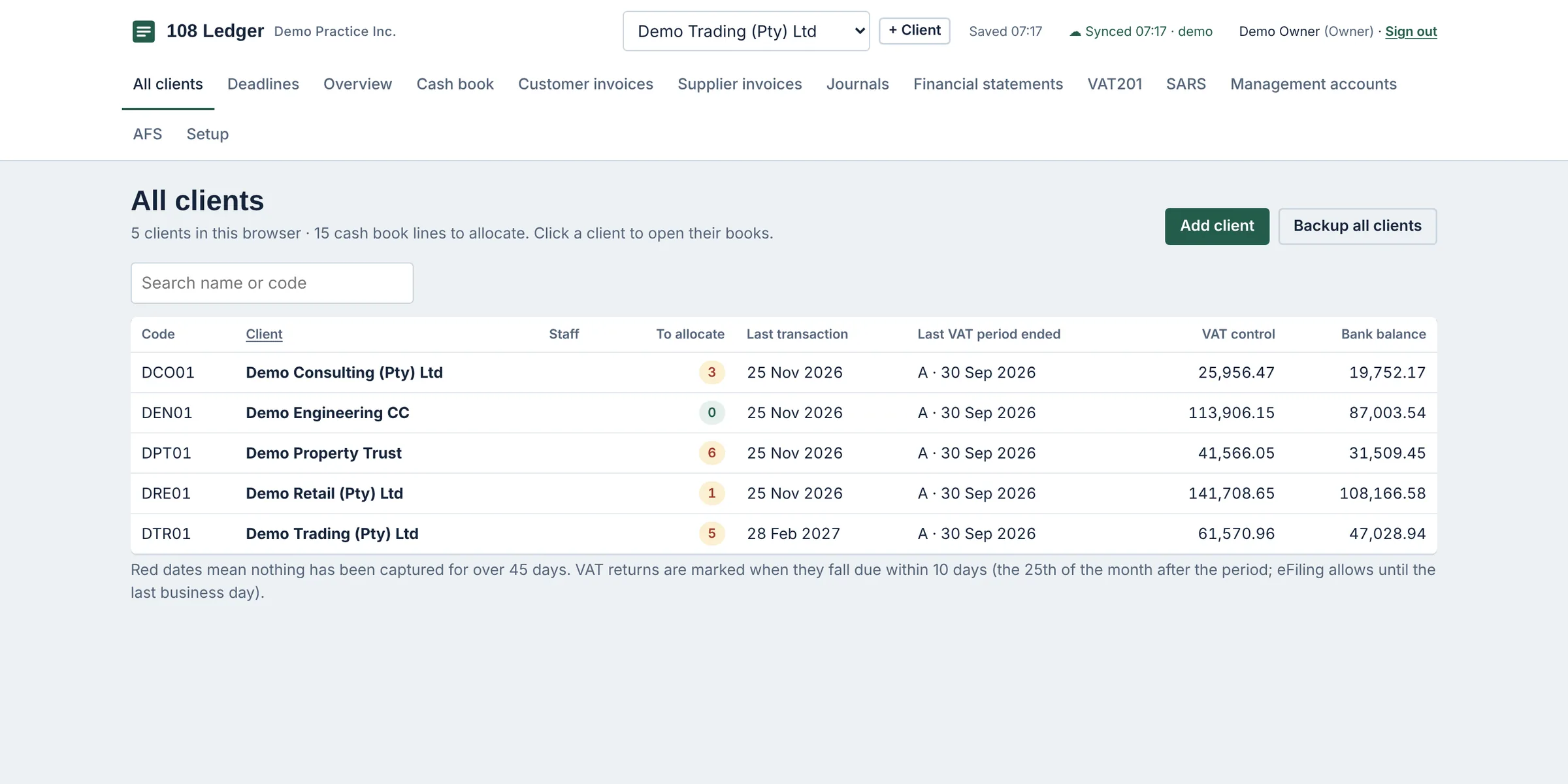
108 Ledger Practice all-clients screen listing five demo clients with lines to allocate, last VAT period, VAT control and bank balance

Built around how a practice actually works.

Developed and used inside an operating accounting practice before it was offered to other firms.

Unlimited client businesses

The Practice licence doesn’t charge per client. Add every company, CC, trust and sole proprietor you look after.

Annual financial statements

Compiled AFS from the same ledger, with comparatives, notes, a year-end checklist and sign-off.

PDF conversion

Turn clients’ PDF bank statements into cash book lines, checked against the running balance. Import several at once.

Practice efficiency

Allocation rules per client, suggestions learned from earlier allocations across clients, recurring journals and payments matched to invoices.

Multi-client reporting

One screen with each client’s lines to allocate, VAT period, VAT control and bank balance, plus deadlines across all clients.

Once-off licence

R14,999 once-off, with optional annual updates and maintenance at R2,999. No compulsory subscription.

Every client, one screen.

Open any client from the all-clients list, assign clients to staff, and see which books need attention before the VAT201 is due.

  • User roles for owners, accountants, bookkeepers and read-only staff, with access per client
  • Deadlines across clients: VAT201, provisional tax, ITR14, AFS and CIPC
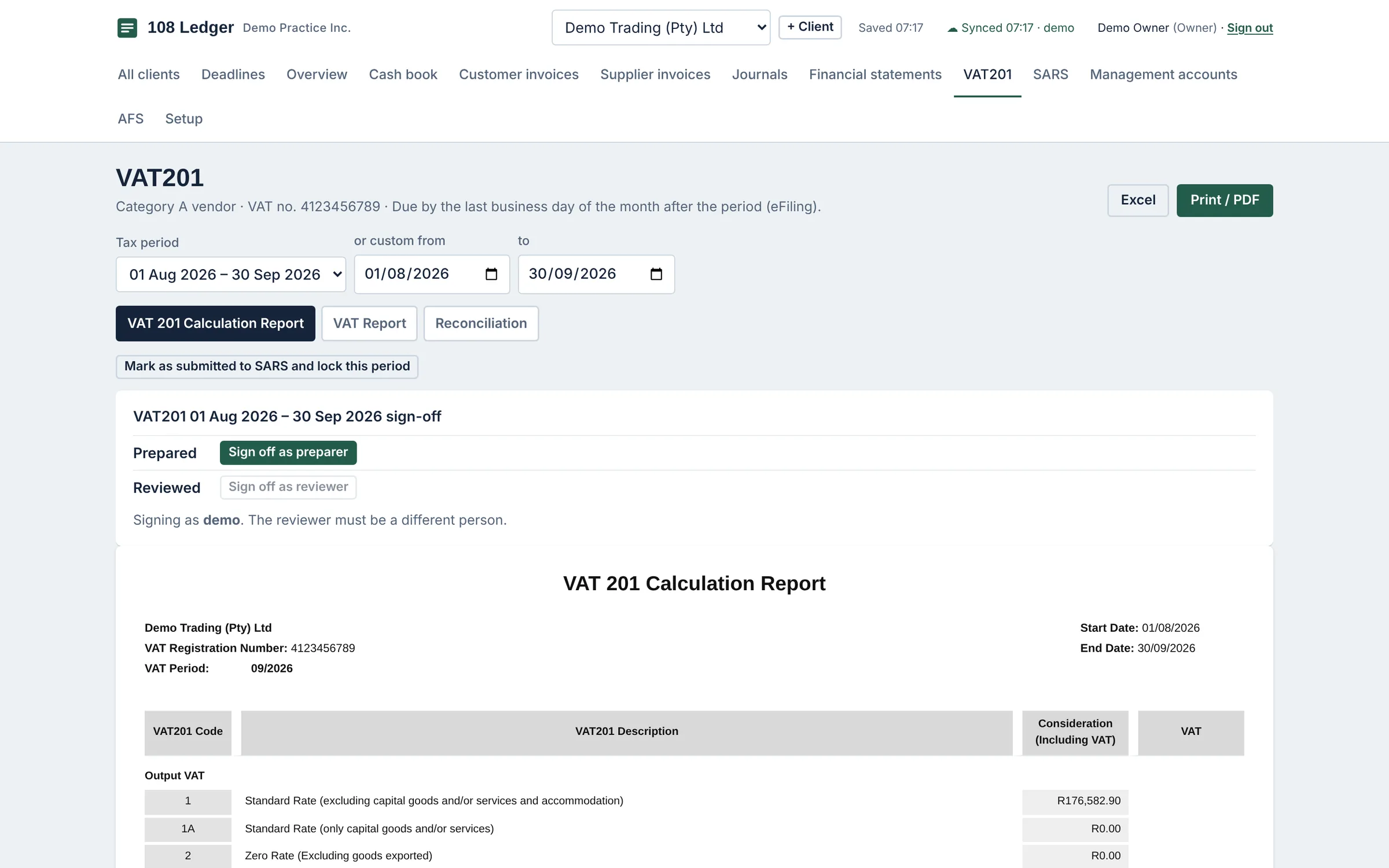
  • Preparer and reviewer sign-off, period locks and a full audit trail
  • A read-only client view you can publish for each client
VAT201 screen with tax period selection, preparer and reviewer sign-off, and the VAT 201 calculation report

Turn Financial Documents into Accounting Data.

Drop in the bank’s PDF statement. 108 Ledger reads the date, description and amount of every transaction, proves each row against the statement’s running balance, and adds the lines to the cash book where your allocation rules take over.

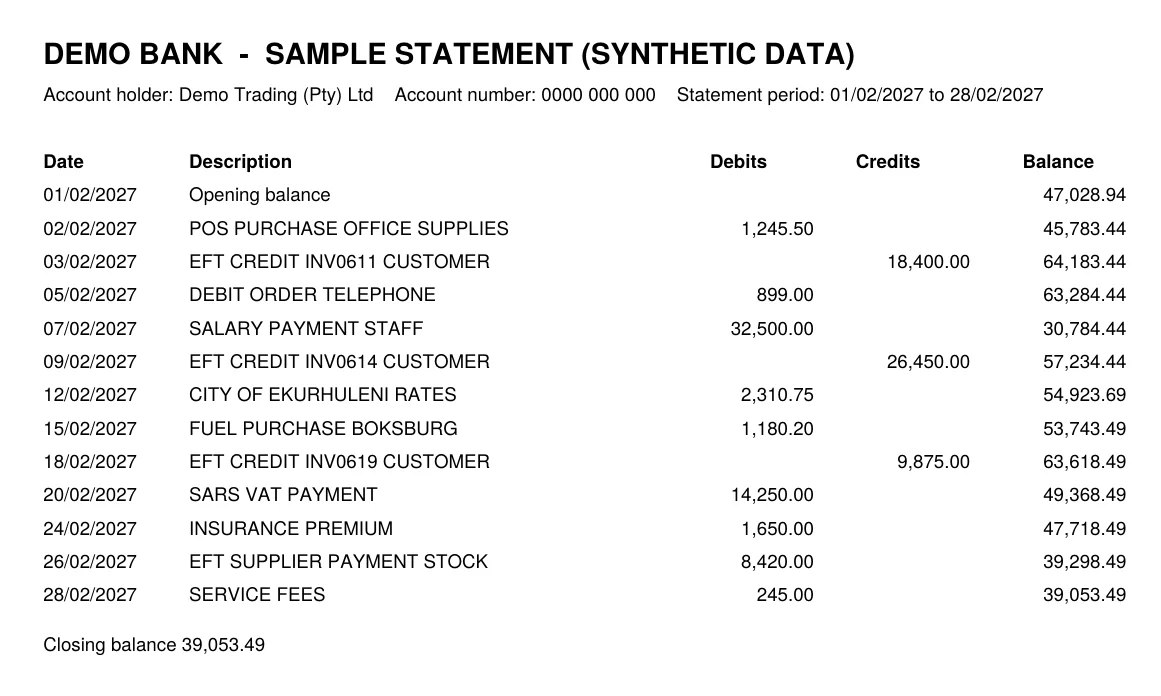
  1. A sample PDF bank statement with dates, descriptions, debits, credits and balances (synthetic data)

    PDF document

    The statement exactly as the bank issues it. Excel and CSV work too.

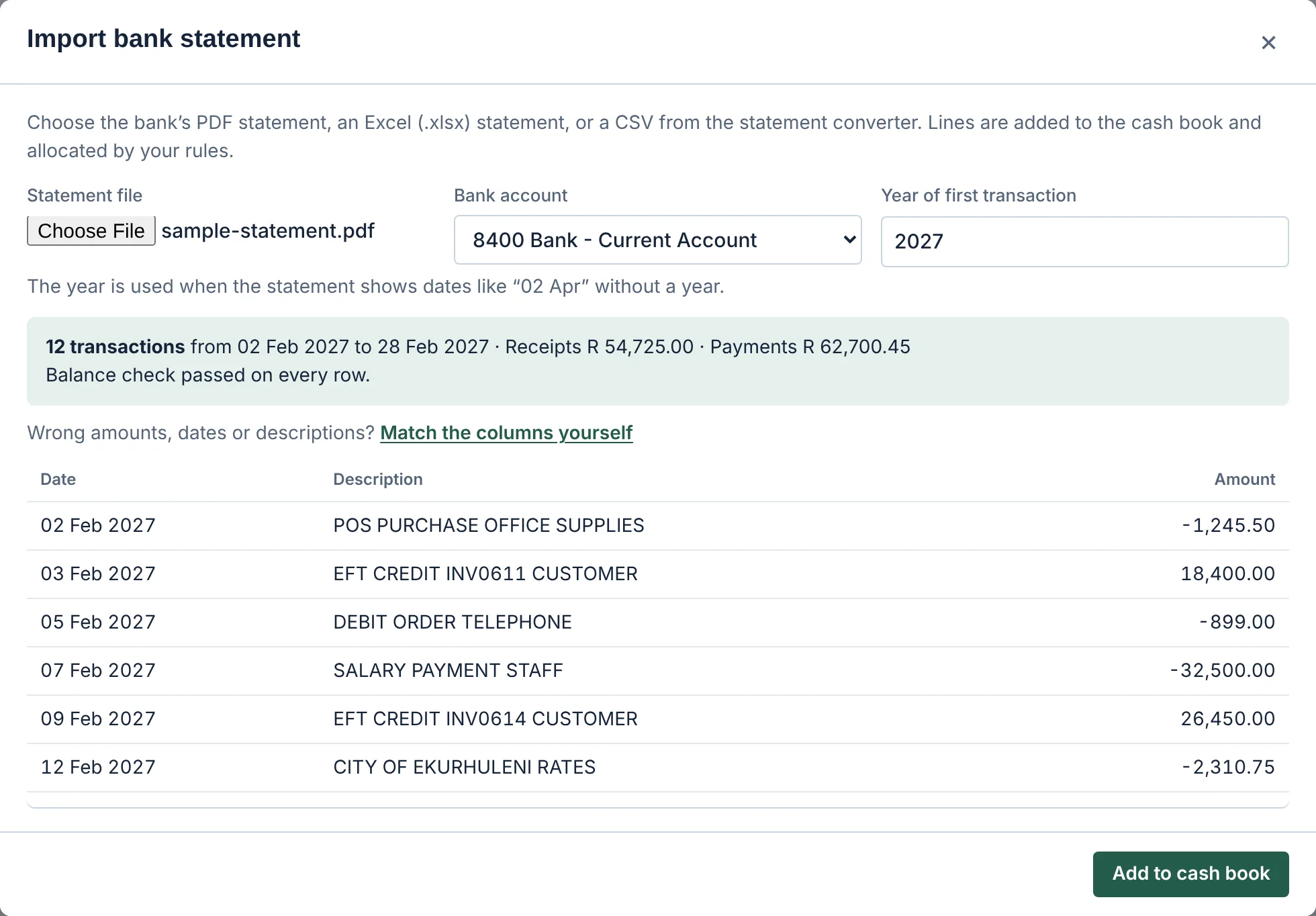
  2. 108 Ledger import screen showing 12 transactions extracted, with the balance check passed on every row

    Data extraction

    Transactions are extracted and every row is checked against the running balance.

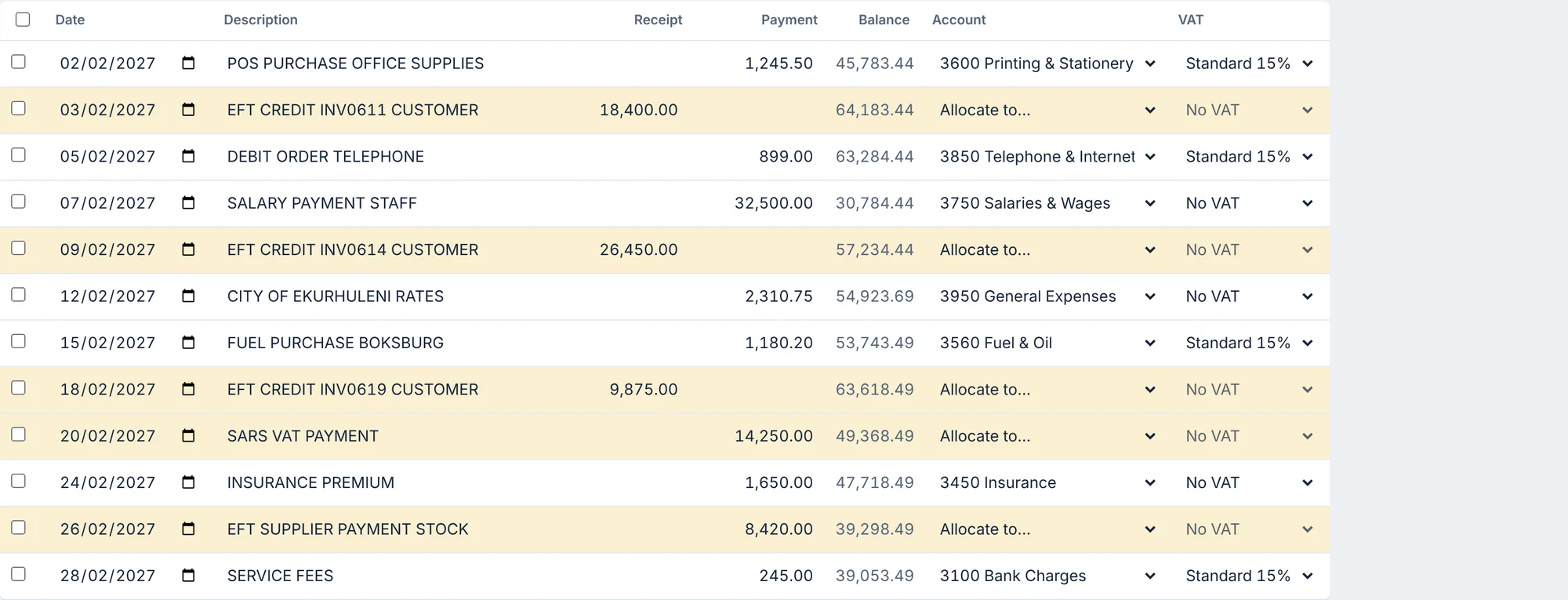
  3. Cash book with imported lines allocated to accounts by rules, and unallocated lines highlighted in yellow

    Transaction allocation

    Rules and suggestions allocate recurring lines; anything new waits in yellow for you.

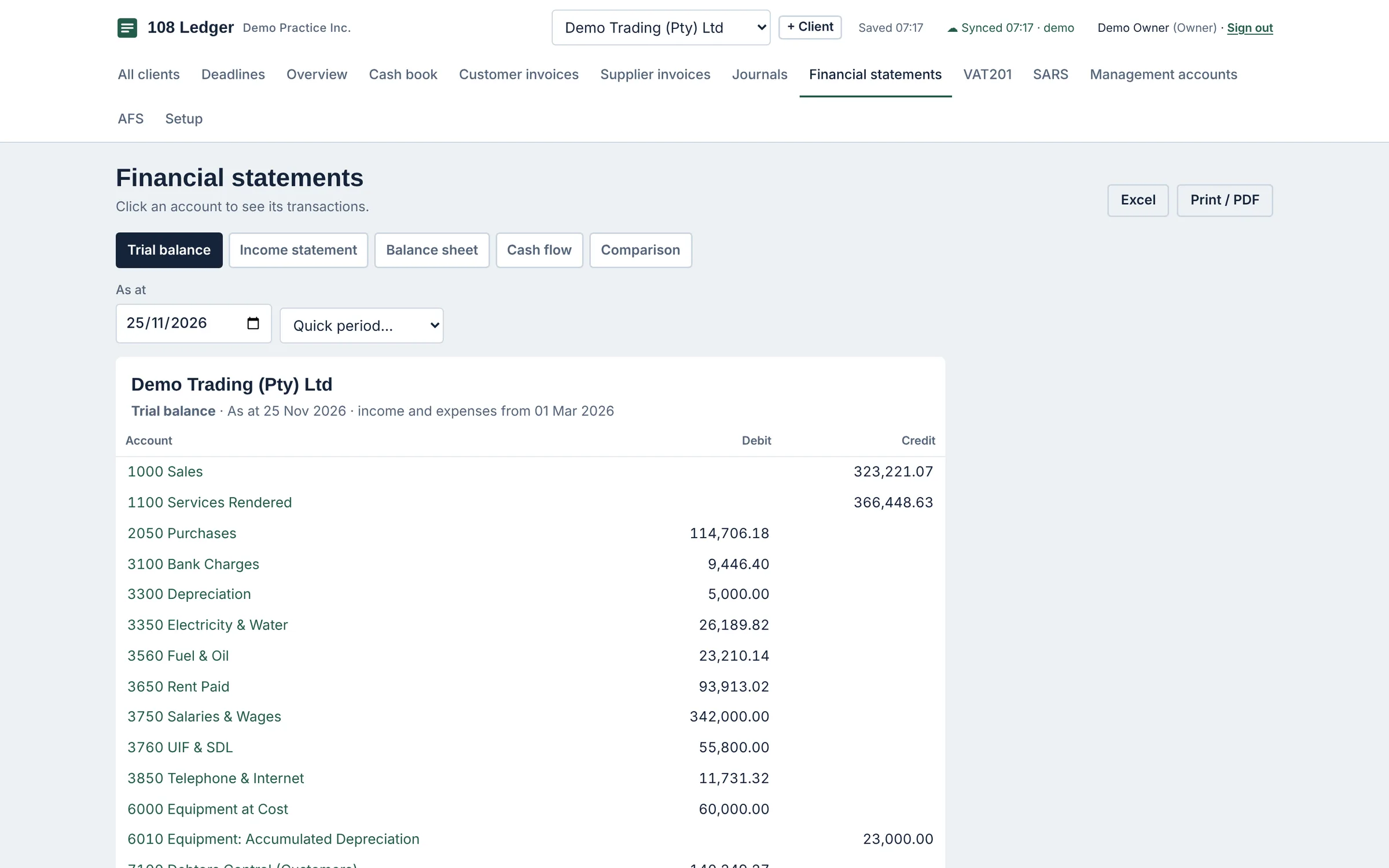
  4. Trial balance in 108 Ledger produced from the allocated cash book

    Accounting records

    The trial balance, VAT201 and reports update from the same entries.

Formats we have tested: PDF statements from FNB, Absa, Standard Bank, Nedbank and Capitec, and Excel or CSV exports from any bank.

When a layout isn’t recognised: “Match the columns yourself” lets you point at the date, description and amount columns, so you’re never stuck. Scanned (image-only) PDFs need to be converted to text first.

Try it yourself: download the sample statement (synthetic data) and import it in your free trial.

108 Ledger Practice

Annual Financial Statements. Built Into Your Accounting Workflow.

The AFS are generated from the same ledger you used all year, so there’s no export to a separate package and no retyping of the trial balance. Review the year-end checklist, add prior-year figures, edit the wording of any page, and sign off.

  • Compiled AFS laid out under the IFRS for SMEs Accounting Standard, with comparatives
  • Directors’ responsibilities and report, compiler’s report, the four primary statements, accounting policies and notes
  • Detailed income statement, ratio analysis and income tax computation
  • Year-end checklist: allocation, suspense, bank reconciliations, depreciation, tax and VAT
  • Custom periods, editable pages, preparer and reviewer sign-off, PDF and Word output

You remain responsible for reviewing the statements and the wording before they are issued.

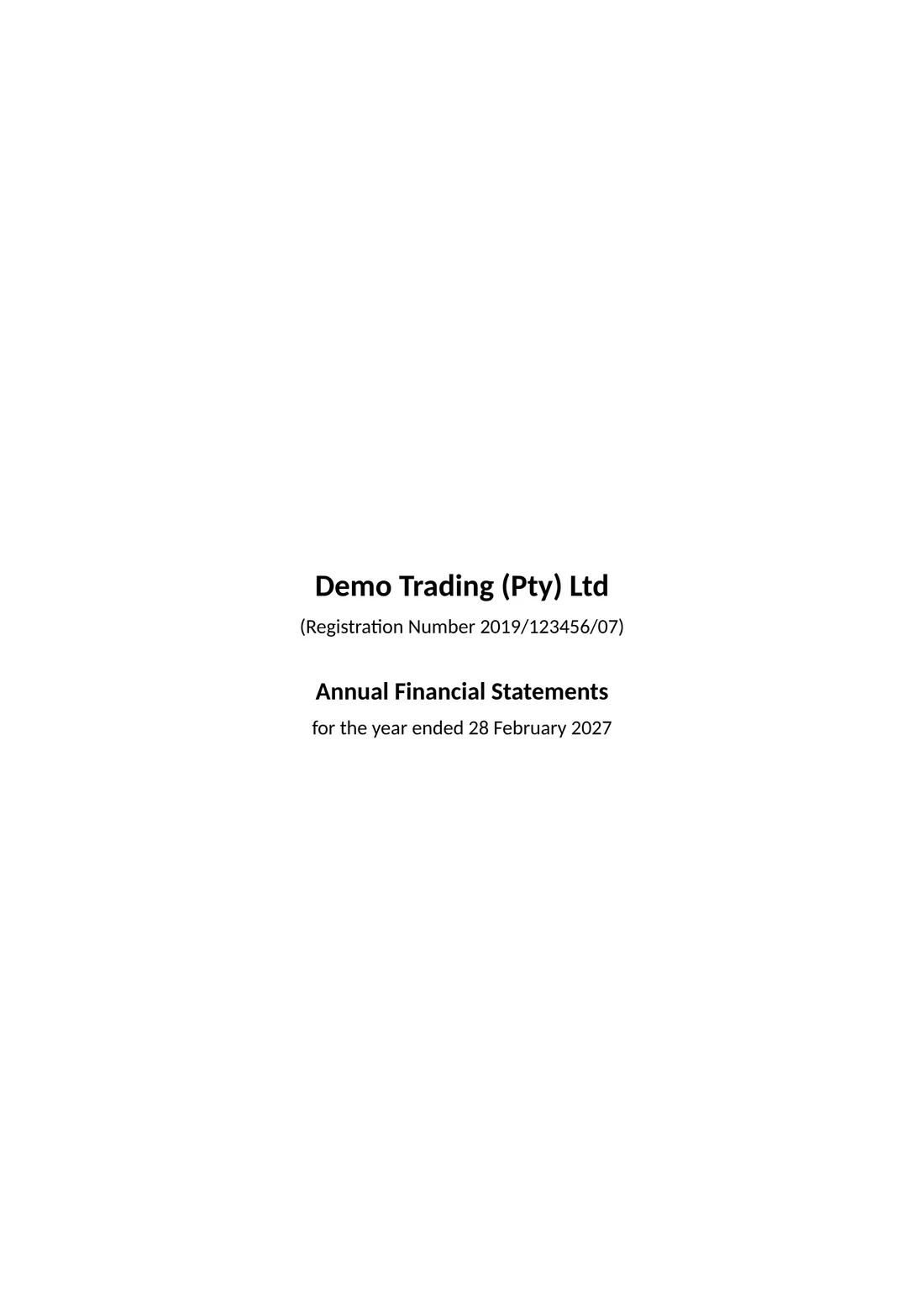
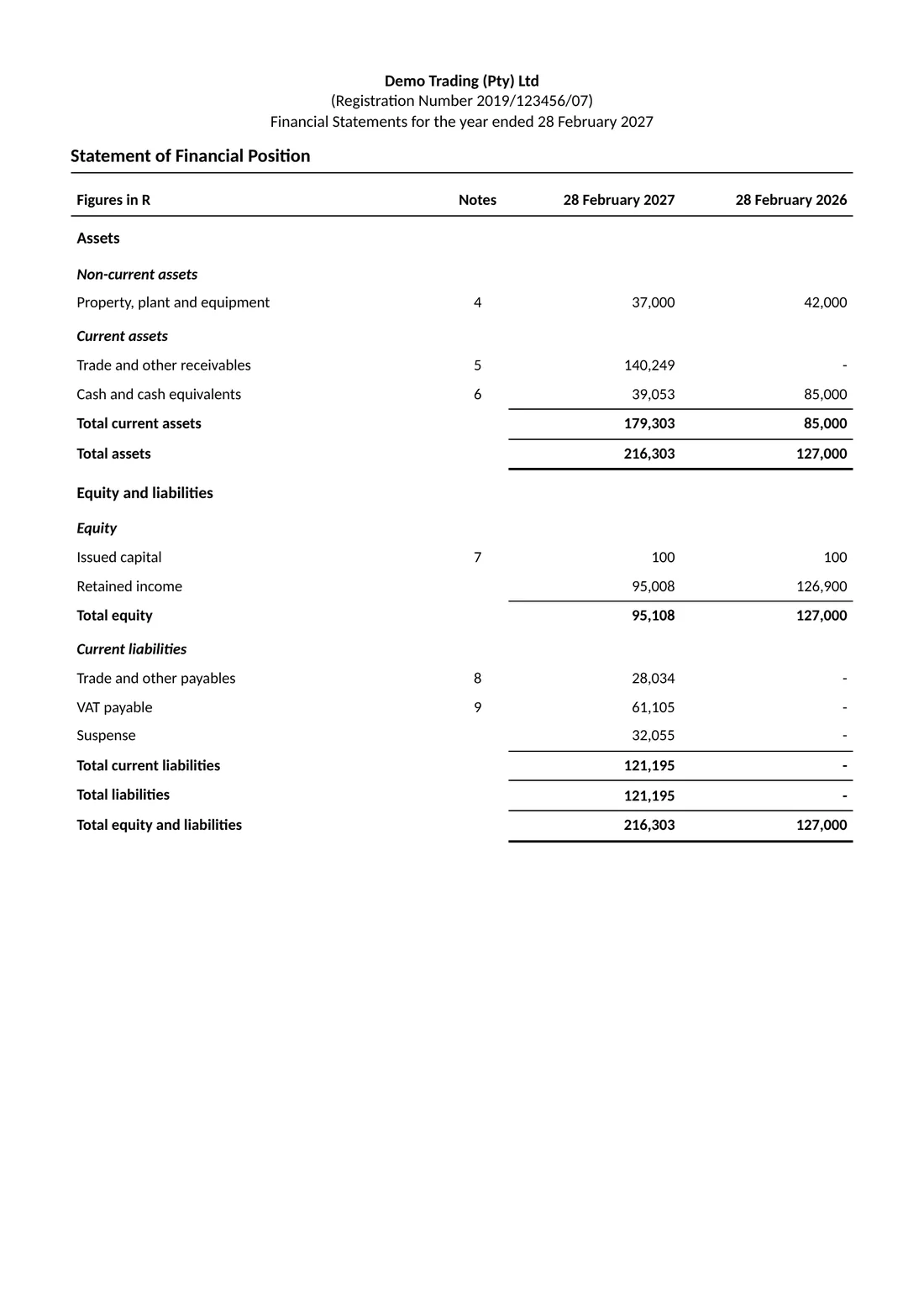
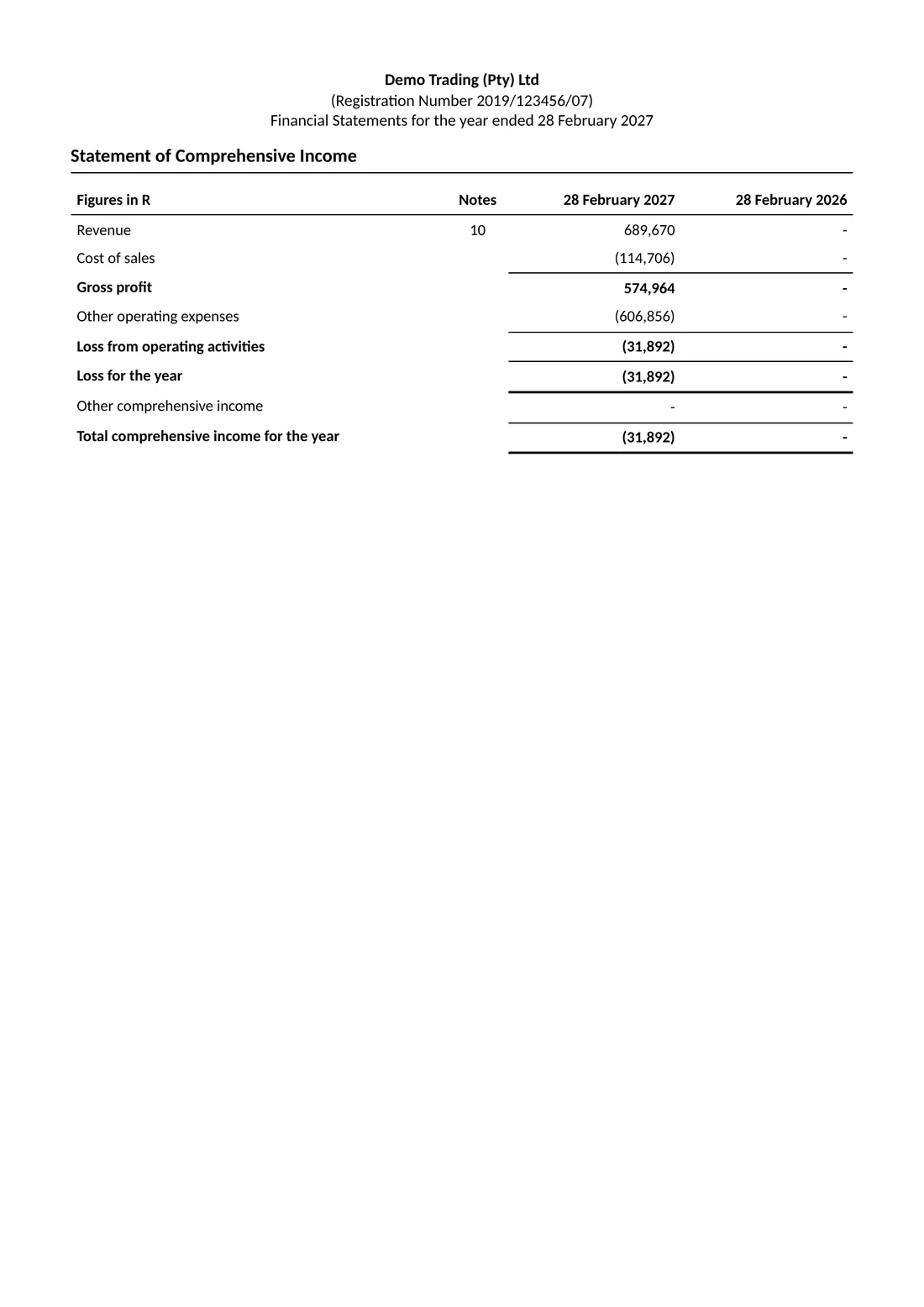
AFS cover page for Demo Trading (Pty) Ltd, year ended 28 February 2027 Statement of financial position with notes and comparative figures Statement of comprehensive income with comparative figures

How it works

Four steps, every month.

  1. Import financial documents

    Bank statements as PDF, Excel or CSV; invoices and supplier invoices as you capture them.

    Practice Practices import for many clients, several statements at a time.

  2. Process and allocate transactions

    Rules and suggestions allocate recurring lines. You decide the rest and match payments to invoices.

    Practice Assign each client to a staff member.

  3. Review financial information and reports

    Reconcile the bank, check the trial balance, and read the management accounts and VAT201.

    Practice See every client’s position on one screen.

  4. Complete accounting and reporting

    Lock the period, sign off, and print or export what’s due.

    Practice VAT201, management packs, SARS schedules and AFS per client.

Pay once for the licence. Renew updates if you want them.

108 Ledger is sold with a once-off software licence. The annual renewal pays for updates and agreed technical maintenance. There is no compulsory monthly subscription.

108 Ledger Practice

Software licence

R14,999 once-off

then R2,999 a year for updates and maintenance (optional)

  • Licence to use 108 Ledger Practice at your business
  • Installed on your hosting by 108 Ledger
  • 12 months of updates and agreed technical maintenance
  • Works with your existing website and hosting

Software + 108 WebStart website

R18,999 once-off

then R3,999 a year for updates and maintenance, including the website renewal (optional)

  • Licence to use 108 Ledger Practice at your business
  • Installed on your hosting by 108 Ledger
  • 12 months of updates and agreed technical maintenance
  • 108 WebStart: up to five-page website with domain, hosting and email set up for the first year
  • “Sign in to 108 Ledger” built into the site

The software licence

A once-off payment for the right to use your licensed version of 108 Ledger, under the licence agreement. It is not a transfer of ownership of the software or its intellectual property.

Annual updates and maintenance

Renew each year to keep receiving new versions of 108 Ledger and the technical maintenance set out in your agreement. If you don’t renew, you keep using the version you have, subject to the licence agreement.

Website, domain and hosting

Only if you choose 108 WebStart. The website, domain registration and hosting renew separately from the software, so each can be continued or stopped on its own. Hosting for the software itself is yours.

Proposed launch prices. Your quotation and licence agreement confirm the final price.

Your Software. Your Database. Your Control.

Each customer gets an independent installation of 108 Ledger on hosting the customer owns and controls. Your client records stay in your installation, not in a shared 108 Ledger database.

  • Your hosting, your database. The software and its data files live on your own hosting account, outside the public website folder.
  • An independent installation per firm. No other customer shares your installation, logins or data.
  • Managed for you. 108 Ledger installs the software, applies updates and provides the technical maintenance in your agreement.
  • Controls built in. User roles, lock dates, version history and a tamper-evident audit trail of every change.

You remain the responsible party for the personal information you process, including under POPIA, and for your hosting account’s security and backups. We’ll help you set it up properly.

Each firm has its own installation and database; 108 Ledger only connects to install updates and maintain it Your firm own hosting 108 Ledger own database Firm B own hosting 108 Ledger own database Firm C own hosting 108 Ledger own database 108 Ledger support installs, updates, maintains
No central accounting database: each installation stands on its own.

We Built 108 Ledger to Run Our Own Practice.

“Every feature in 108 Ledger was developed around real accounting workflows and practical challenges experienced in an operating accounting practice. We wanted a better way to process financial information, manage accounting records and prepare financial reports.”

108 Chartered Accountants
The practice behind it
108 Chartered Accountants, Boksburg
In practice since
2014
Used for
Bookkeeping, VAT, management accounts and AFS for the firm’s own clients

Experience 108 Ledger Free for 14 Days.

Explore the platform, test its capabilities and discover a better approach to accounting before purchasing your software licence.

Prefer a guided tour? Book a live demo.

  • 14-day access to your own private workspace
  • No credit card and no upfront payment
  • Separate Practice and SME trial environments
  • A demo company preloaded with a year of synthetic transactions
  • Guided onboarding emails while you explore
  • A live demonstration whenever you’d like one

Questions, answered.

Something else? Call +27 76 133 5166 or email us.

What is 108 Ledger?

Accounting software for South African businesses and accounting practices. It covers the cash book, bank statement import and reconciliation, invoices, VAT201, management accounts and financial statements, and in the Practice edition, annual financial statements and multi-client management. It is developed by 108 Chartered Accountants and installed on your own hosting.

What is the difference between SMEs and Practice?

Both use the same ledger and reports. 108 Ledger SMEs is for one business (one company, or two on request). 108 Ledger Practice is for firms that keep books for others: unlimited client businesses, an all-clients view, staff assignment, SARS income tax schedules and built-in annual financial statements.

How does the free trial work?

Choose Practice or SMEs, enter your details and a password, and your private workspace opens straight away with a demo company that has a year of synthetic transactions. You can also import your own statements. The trial lasts 14 days and needs no card or payment.

Is there a monthly subscription?

No. You pay once for the software licence. An annual renewal for updates and maintenance is optional.

Can I manage unlimited clients?

Yes, in the Practice edition the licence doesn’t limit the number of client businesses. In practice the number one installation handles comfortably depends on your hosting; for very large client bases we’ll advise on the set-up. The SME edition covers one company, or two on request.

Can I use my existing website?

Yes. 108 Ledger installs in its own folder on your existing hosting (for example yourfirm.co.za/ledger), and we can add a sign-in link to your site. It needs hosting with PHP 8.1 or later, which most South African cPanel hosting provides.

Who owns the database?

You do. The data sits in your installation on your hosting account, not in a shared 108 Ledger database. You can download a full backup at any time. (The software itself remains licensed, not sold.)

Who manages installation and updates?

108 Ledger installs the software on your hosting, applies updates and provides the agreed technical maintenance while your annual renewal is active.

What happens if I do not renew annual updates?

You keep using the version you have, subject to the licence agreement. You won’t receive new versions or maintenance until you renew.

How do I purchase a licence?

Use “Enquire to buy” or call us. We confirm the edition, users and options in a quotation and licence agreement, install 108 Ledger on your hosting, and help you restore your trial data.